
You get off the train, look for signs to the next line and find yourself outside. At some London interchanges, that is exactly where you need to be. The uncertainty starts when you reach another set of gates: should you touch your card again, does a new journey begin, or have you gone to the wrong station?
Going outside does not always mean paying for two journeys. Transport for London recognises certain links where you can leave one station and enter another while keeping a single journey for fare calculation, provided you meet the conditions. Other changes take place inside, even when the stations have different names.
This guide focuses on those situations. For the basics, see our guide to using the London Underground.
First, identify the type of interchange
- Inside the station: follow signs naming your next line. Do not look for “Way out” if you only need to change trains.
- Between separate entrances: the route may take you outside or through an unpaid concourse. At a recognised link, your touches allow the system to join the legs.
- A walk to another nearby station: proximity alone does not guarantee a recognised fare interchange.
The technical term for the second arrangement is Out-of-Station Interchange, or OSI. It applies to Oyster and contactless payment; arrangements for paper tickets are more limited. It is not permission to go sightseeing and resume any journey afterwards.
How to use the gates and keep your journey linked
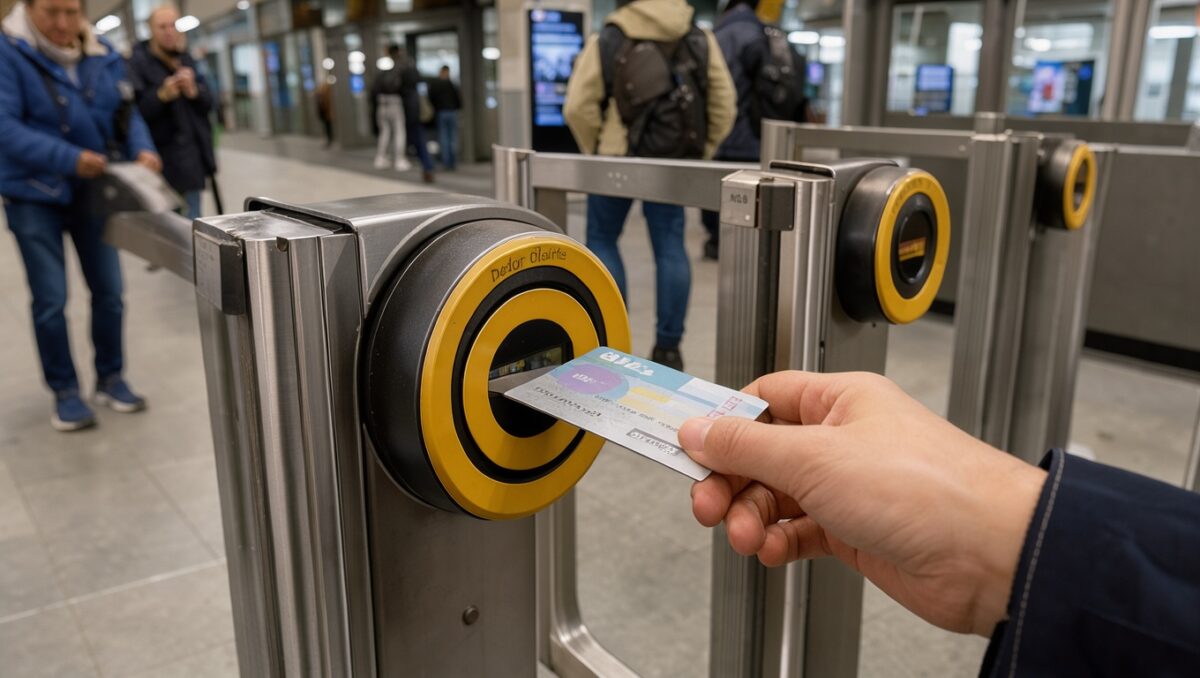
When the interchange requires you to exit and re-enter, use the same Oyster, bank card or device for every touch. Touch the yellow reader when leaving the first paid area and again when entering the second. Touch out once more at your final destination. If there are no gates, find the free-standing yellow reader.
A physical card and the same card on your phone are not treated as the same payment method. Neither are a phone and a watch. Switching between them halfway through the interchange prevents the system from correctly linking the legs.
Example: touch out of the first line with your phone, walk to the other entrance and touch in with that same phone. Do not replace the second touch with the card in your wallet, even if both charge the same account.
For paper tickets or National Rail tickets, check the specific conditions rather than automatically applying Oyster rules. Our National Rail guide also explains “London Terminals” and when a cross-London transfer is included.
Six interchanges worth recognising
The limits below come from TfL’s official file with data up to 1 March 2026, checked on 18 October 2026. They are allowances for linking the exit and entry touches, not walking times or a suggestion to leave things until the last minute. For these selected links, the stated limit is the same in both directions.
| Specific link | What to recognise | OSI limit |
|---|---|---|
| Hammersmith: District/Piccadilly ↔ Circle/Hammersmith & City | Two stations with the same name | 20 min |
| Edgware Road: Bakerloo ↔ Circle/District/Hammersmith & City | Your line determines which building you need | 20 min |
| Canary Wharf: Jubilee ↔ Elizabeth line | Separate entrances; not a simple platform change | 20 min |
| Shadwell: DLR ↔ London Overground | You need to walk between the two stations | 15 min |
| Paddington: Underground ↔ Elizabeth line | Check which part of the complex you need | 20 min |
| Bank ↔ Monument | An internal connection exists; an external link is also listed | 15 min for the external OSI |
Before travelling, check your link in the official OSI list. This table does not extend these limits to any other entrance, neighbouring station or transport combination.
Hammersmith: the same name, different stations
Arriving on the Piccadilly line does not put you at the Hammersmith & City platforms. District and Piccadilly share one station; Circle and Hammersmith & City use another. To switch between the groups, follow the interchange signs and leave the first paid area.
District/Piccadilly → exit and touch out → street-level walk → enter and touch in → Circle/Hammersmith & City.
Check the line names before going down into the first entrance you see. This is particularly useful with luggage, when you want to avoid unnecessary trips up and down.
Edgware Road: the station name is not enough
The Bakerloo station is separate from the one serving Circle, District and Hammersmith & City. A recognised OSI links the buildings. Do not search for an internal passage connecting all these platforms. While planning, compare changing at Baker Street or Paddington: either may be more convenient than this external link.
Include the line when searching on your phone: “Edgware Road Bakerloo” is more useful than just “Edgware Road”. Do not confuse it with Edgware, a different station on the Northern line.
For finding the entrances, TfL lists the Bakerloo station on Edgware Road and the Circle/District/Hammersmith & City station on Chapel Street.
Canary Wharf: choose the transport system first
Jubilee, Elizabeth line and DLR have separate facilities at Canary Wharf. To change between Jubilee and Elizabeth line, you need to move between entrances rather than simply find another staircase to a nearby platform.
Look for the full name of your next service and follow its signs. If you are meeting someone “at Canary Wharf”, specify the line and entrance as well. For DLR combinations, check the particular pair of stations; do not extend the table’s link to every stop in the area.
Shadwell: DLR and Overground are separate stations
Changing between the DLR and London Overground’s Windrush line requires moving from one station to the other. Follow signs for your next system and touch out and in, including where there is a free-standing reader instead of a row of gates.
DLR → yellow exit reader → walk between stations → yellow entry reader → Overground.
This differs from an internal DLR or Underground change. For service details, see our DLR guide.
Paddington: check the line, not just the Underground sign
Paddington brings together mainline trains, Elizabeth line and different Underground sections. Circle and Hammersmith & City have platforms on the canal side; other Underground services use another part of the complex. Circle also appears in more than one section, so check the train’s destination too.
To reach Elizabeth line, follow its specific signs and your route instructions. Some links cross ticket gates and other routes stay inside; do not automatically go outside. The table’s OSI is for Underground–Elizabeth line, not every ticket or every train at Paddington.
Bank and Monument: different names, an internal connection
Here the situation is the opposite of Hammersmith. Bank and Monument form an internally connected complex. To reach District or Circle from the lines at Bank, follow the Monument signs rather than automatically going outside.
TfL also lists an external Bank–Monument OSI, with its own limit. Its existence does not make the walk the best option for everyone: stairs, your arriving line and accessibility needs can affect the most suitable route.
A pink reader is not an entry or exit reader
Pink readers record the route you took at certain interchanges. They can allow a journey avoiding Zone 1 to be priced accordingly, but they do not replace yellow entry and exit readers and are not present at every change of line.
If your route requires one, the sequence is yellow at the start, pink when changing and yellow at the end. Check the journey in TfL’s single fare finder; finding a pink reader does not mean you will always pay less.
TfL explains their purpose in its pink reader guide. To choose how to pay, read our guides to Oyster and contactless.
Two mistakes to avoid before you start
Do not treat the OSI limit as free time for shopping. It is intended for continuing your journey. Exceeding it may cause the system to split the journeys. If you need a stop, allow for a possible change in the fare.
Do not enter a station just to check whether it is the right one. Entering and leaving the same station can generate a charge even if you never board a train. Ask staff before crossing the gates if you are unsure of the line. TfL explains these situations in its guide to paying the right fare.
With a buggy, wheelchair or suitcase, check the whole interchange
A change that looks simple on the map may involve stairs, long walks or a different entrance. Check the accessible route from start to finish, rather than just looking for lift symbols at each station. Start with our guide to the step-free London Underground and confirm the route in the official journey planner.
Before leaving, save the name of your next line and check for disruption. Keep the same payment method ready throughout the interchange. That combination is more useful than trying to memorise every interchange in London.
Sources and route checks
This guide is based on TfL documentation, not timed walks carried out on location. The sequences show the order of touches and are not scale maps.
- Official OSI list and directional time-limit file: data up to 1 March 2026.
- Touching in and out, using the same payment method and same-station exits.
- Using pink readers.
- TfL maps and stations and journey planner, to check the route and its conditions before travelling.
Last reviewed: 18 October 2026.
This entry is also available in: